The GDSFactory+ Graphical Workflow
GDSFactory+ has three ways of visualizing your photonic, electrical, and quantum RF circuits.
- Mosaic is a schematic editor that allows you to create block diagrams with ideal electrical and optical connections between Component models, without regard to the actual size of the die
- Livewire is a graphical way of laying out your circuit by clicking and dragging Components and routes
- GDS Viewer allows you to preview a built .gds file before sending it to a foundry for fabrication
Under the hood, all the information associated with a circuit's Mosaic and Livewire representations is contained in a single .gsch schematic file, which is stored as JSON. This means your block diagram and layout are fundamentally connected. It also means the design can be managed with version control systems like Git.
Create a schematic file
The first thing to do is create one of these block diagram schematic files.
-
In the GF+ tab, select the
New Schematic (.gsch)button.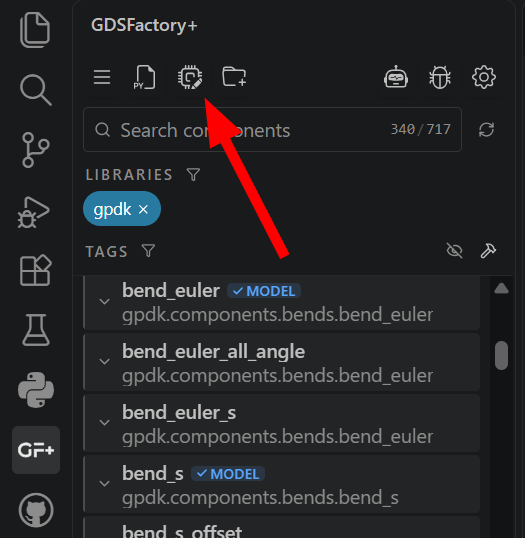
-
Above "Schematic filename" type the name of your new schematic and press enter to confirm. This will create a new schematic file with the given name and open its
Schematic Viewin a new tab.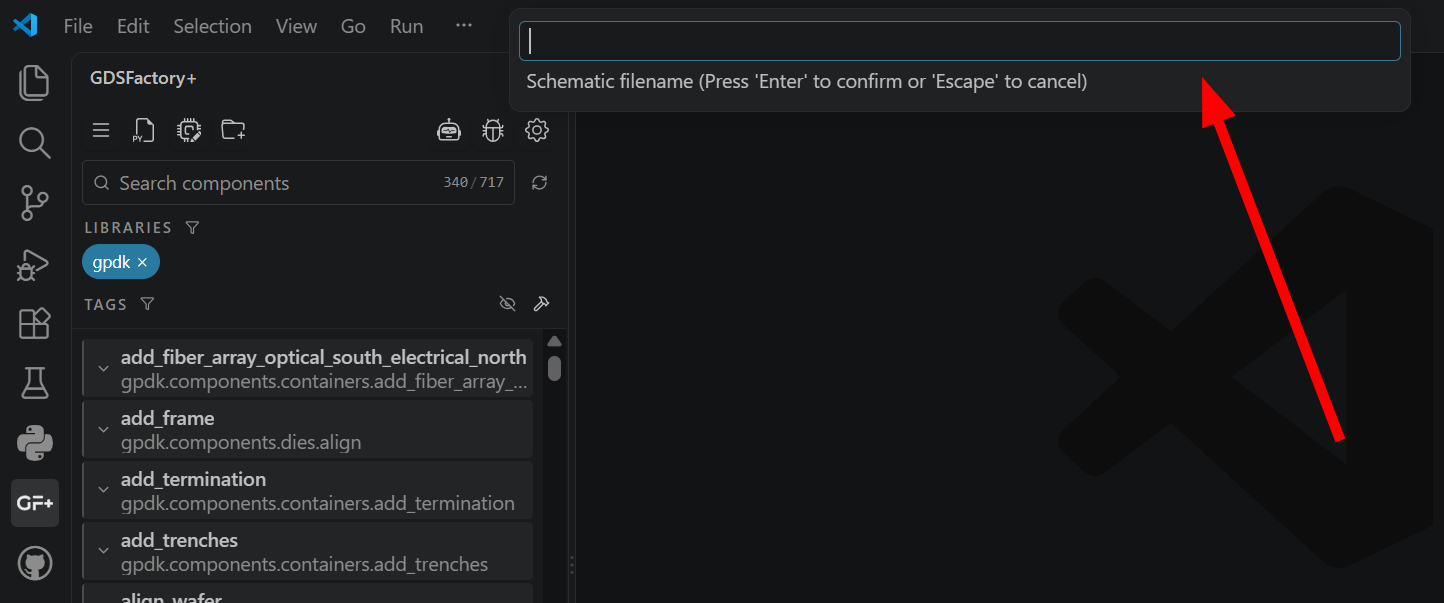
Once you have a blank schematic, you can continue to one of the domain-specific graphical workflow pages: