Building a Component with ChipMonk
ChipMonk can help you build components using GDSFactory+'s tools.
Start the Workflow
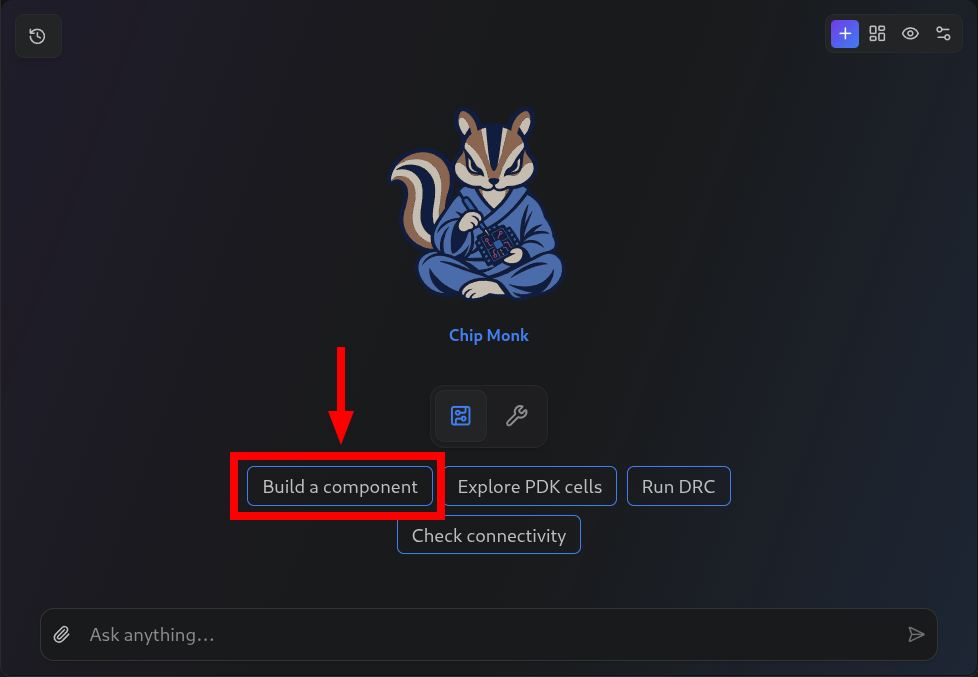
Unlike in other workflows, ChipMonk can actually guide you through the design process on its own. To get started, simply click Build a Component. If you like, you may choose to actually skip the rest of this tutorial page for now and simply follow the agent's design process. Come back if you are unsure about some functionality.
Answer Questions
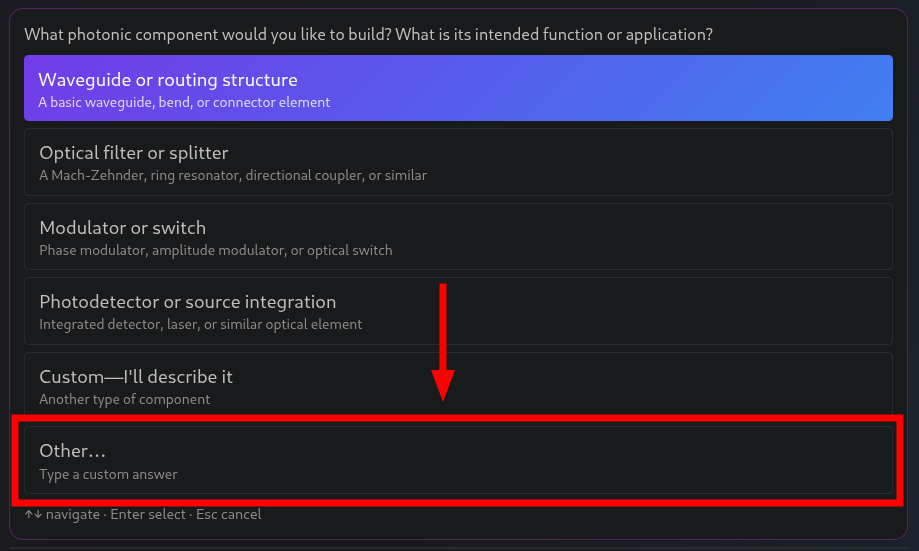
Simply answer the agent's questions by clicking options and typing feedback when asked.
Make sure to be descriptive about the component you want to build. For example:
I want to build a Mach-Zehnder interferometer with two 50/50 MMI couplers connected by waveguides of different lengths. The path length difference should be 100 microns.
ChipMonk will ask clarifying questions.
Tips
- The more detail you provide upfront, the better the result. Include information about:
- Which sub-components to use (e.g., specific coupler type, waveguide cross-section)
- Port names and how components connect
- Key dimensions and parameters
- Any constraints from your PDK
- If none of the options the agent provides match what you need, you can always select Other... and provide your own response.
Review the Specification
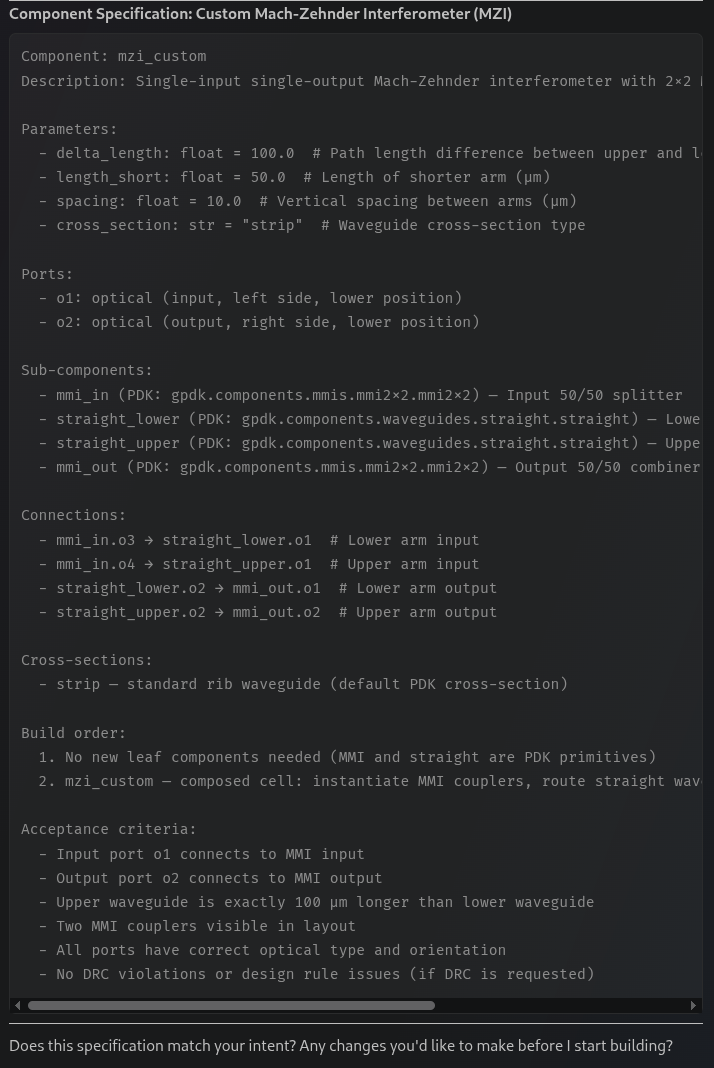
Once you have answered its questions, ChipMonk will produce a component specification summarizing:
- Component name and parameters
- Sub-components and their settings
- Port definitions
- Connection plan
- Build order
Review this carefully. If anything looks wrong, tell the agent and it will adjust the spec before proceeding.
Once the spec is accepted, ChipMonk will begin building the component by writing GDSFactory Python code.
Warning
Always review the code the agent writes. The agent can make mistakes! Check that the generated component matches your design intent, uses the correct cross-sections, and follows your PDK's conventions before building.
Iterate on the Design
Once the component builds successfully, you can ask ChipMonk to refine it:
- "Make the arm length difference a parameter" - add configurability
- "The ports look wrong, can you check?" - the agent inspects port positions and fixes issues
- "Run DRC on this" - switch to Verification mode to check design rules
The agent works iteratively: build, inspect, fix, rebuild - until you're satisfied with the result.
Success
Now you're ready to build components with ChipMonk! See the Agent Features page for more info about what it can do.