Before the layout even exists, the measurement campaign already has a data management problem: nine devices with two varying parameters (radius and gap) will each produce one spectrum file per die per wafer, and the only place those parameters typically live is the filename. This notebook generates the layout and uploads it to DataLab as the authoritative parameter source.
Ring resonators are among the most widely used devices in silicon photonics. They act as optical cavities: light couples from a bus waveguide into a ring and circulates around it. At specific resonance wavelengths the round-trip phase is a multiple of 2π, which produces sharp dips in the transmitted power. The spacing between consecutive resonances is the Free Spectral Range (FSR), which depends on the ring circumference and the group index of the waveguide.
Measuring the FSR is a fast way to characterise fabrication accuracy. Because FSR = λ² / (ng × L), a shift in the measured FSR tells you whether the ring length changed (due to etch depth variation) or whether the effective index changed (due to width or thickness non-uniformity).
This notebook generates a chip with a sweep of ring resonators. We vary the coupling gap (which controls how strongly light couples into the ring) and the ring radius (which controls the FSR). The layout is then uploaded to DataLab.
Before you start, make sure your credentials are configured in
~/.gdsfactory/gdsfactoryplus.toml:
Setup
import getpass

import gdsfactory as gf
import gfhub
from gdsfactory.gpdk import PDK

PDK.activate()
client = gfhub.Client()
user = getpass.getuser()
print(f"Running as user: {user}")
Running as user: runner
Creating the ring sweep
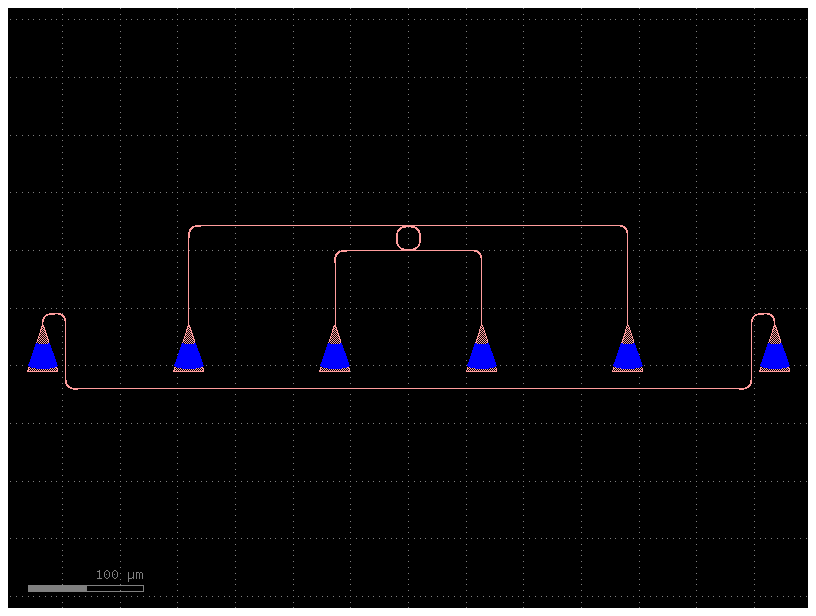
We define ring_with_gc as a single ring resonator with grating couplers for fiber access. The ring parameters are:
- radius: controls the circumference and therefore the FSR. Larger radii give smaller FSR.
- gap: the coupling gap between the bus waveguide and the ring. Larger gaps give weaker coupling, narrower resonances, and higher Q factor.
- length_x: the straight-section length of the double-ring coupler.
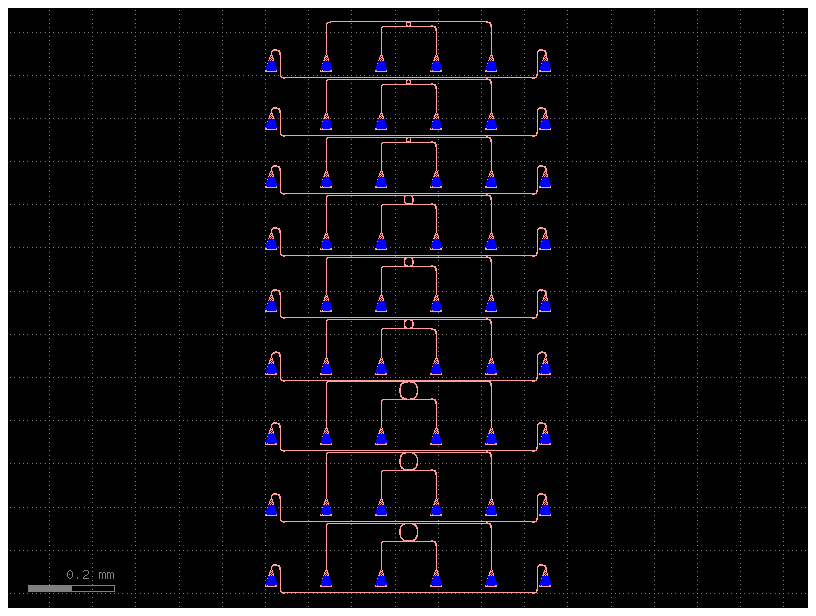
We sweep three gap values at radii 5, 10, and 20 µm, giving 9 devices in total. gf.pack arranges them within the 6050 × 4100 µm reticle footprint. The error check on len(c) > 1 ensures all devices fit in a single reticle — if they don't, you would need to increase max_size or reduce the number of devices.
@gf.cell(set_name=False)
def ring_with_gc(
    radius: float = 10.0, gap: float = 0.2, length_x: float = 0.1
) -> gf.Component:
    """Return a ring resonator with grating couplers."""
    ring = gf.components.ring_double(radius=radius, gap=gap, length_x=length_x)
    c = gf.routing.add_fiber_array(ring)
    c.name = f"RingDouble-{radius}-{gap}-"
    return c


ring_with_gc()
@gf.cell(check_ports=False)
def rings() -> gf.Component:
    """Return a component with a ring resonator sweep."""
    length_x = 0.1
    size = (6050, 4100)

    # R = 10 µm, gaps 100/150/200 nm
    devices = [
        ring_with_gc(radius=10, length_x=length_x, gap=gap * 1e-3)
        for gap in [100, 150, 200]
    ]
    # R = 20 µm, gaps 150/200/250 nm (larger radius needs larger gap for same coupling)
    devices += [
        ring_with_gc(radius=20, length_x=length_x, gap=gap * 1e-3)
        for gap in [150, 200, 250]
    ]
    # R = 5 µm, gaps 100/150/200 nm
    devices += [
        ring_with_gc(radius=5, length_x=length_x, gap=gap * 1e-3)
        for gap in [100, 150, 200]
    ]

    packed = gf.pack(devices, max_size=size, add_ports_prefix=False, spacing=2)
    if len(packed) > 1:
        msg = f"Failed to pack all devices within {size} µm — got {len(packed)} bins"
        raise ValueError(msg)
    return packed[0]


c = rings()
c.write_gds("rings.gds")
c
Upload the GDS
uploaded = client.add_file("rings.gds", tags=["project:tutorial_rings", user])
print(f"Uploaded: {uploaded['original_name']} (id={uploaded['id']})")
Uploaded: rings.gds (id=019df3b5-4082-71d3-a8c1-63c49c3a5707)
What's next?
The layout is in DataLab. The next notebook imports this GDS, simulates transmission spectra for each ring instance across a set of wafers and dies, and uploads the data with tags encoding the ring parameters and measurement context.